
What Is a Google Ads Test Account?
A Google Ads test account is a simulated version of a real Google Ads account designed for experimentation and development. It allows users to test campaign settings, ad formats, and API integrations without spending any money or impacting real data.
Benefits of Using a Google Ads Test Account
- Safe environment to learn and experiment
- No real costs or ad delivery
- Ideal for training, education, and development
- Supports testing with the Google Ads API
- Enables mock campaign structures for internal processes
Who Should Use a Google Ads Test Account?
New Advertisers
Beginners in digital advertising can use test accounts to explore campaign structures, bidding options, and ad setup without financial risk.
Developers Working with the Google Ads API
Test accounts are essential for developers who want to build and test applications using the Google Ads API. They can validate data structures, simulate campaign creation, and troubleshoot scripts in a sandbox environment.
Marketing Students and Professionals
Students and marketers can practice setting up campaigns, understanding targeting options, and simulating ad performance metrics for hands-on learning.
How to Create a Google Ads Test Account
There are several ways to create and use a Google Ads test account, depending on your goals and technical knowledge.
Using the Google Ads Sandbox
The Google Ads Sandbox is a simulated environment where users can test and demonstrate account operations.
Steps to Use the Sandbox:
- Visit the Google Ads API documentation on testing
- Log in using a Google developer account
- Access the sandbox to simulate campaign creation, ad group structuring, and budget management
The sandbox is highly recommended for training, workshops, and non-developer use.
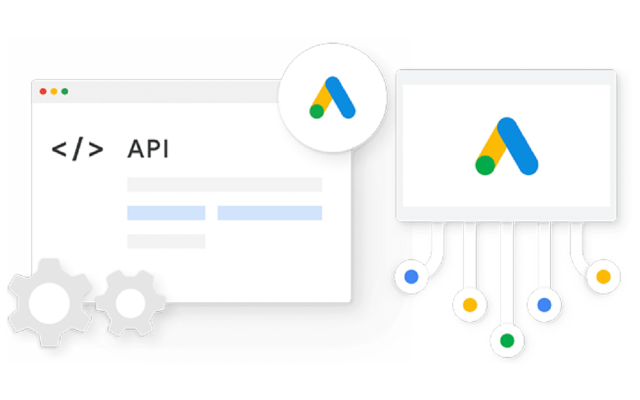
Using the Google Ads API
For developers, creating test accounts through the API allows for advanced testing and automation.
Steps:
- Apply for a Developer Token via the Google Ads API Center
- Set up the development environment using your preferred client library (e.g., Python, Java, PHP)
- Use the API to create and manage test accounts, campaigns, and ad groups
This method is ideal for engineering teams building tools or integrations for Google Ads.
Creating a Google Ads Manager Account (MCC)
A Google Ads Manager Account, also known as MCC (My Client Center), lets users manage multiple accounts from a single dashboard.
Benefits of an MCC for Testing:
- Manage multiple test sub-accounts in one place
- Create mock client account structures
- Train team members on account hierarchy and workflows
How to Set Up:
- Visit the Google Ads Manager Account page
- Register a new MCC
- Add sub-accounts to simulate client scenarios or team testing environments
At LLD Media, we assist clients in setting up MCC structures tailored for testing and onboarding, enabling smooth transitions from training to live campaign management.
Important Notes When Using a Test Account
Using a Google Ads test account comes with key limitations and advantages:
- No live ad delivery — campaigns are simulated only
- No real user engagement or analytics
- No billing or actual charges involved
- Some newer features or betas may not be available
- Actions performed are for testing purposes only and do not affect real audiences or performance metrics
These limitations ensure a controlled and secure testing environment for advertisers and developers.
Test Account vs. Real Google Ads Account
| Feature | Test Account | Real Google Ads Account |
| Ad Delivery | No | Yes |
| Budget Spend | None | Based on actual bidding |
| Performance Data | Simulated | Real-time |
| API Support | Yes (Sandbox Mode) | Yes |
| Ideal For | Training, Development, Testing | Live Campaign Execution |
When to Move to a Real Account
- When your test setup is stable and you are ready to launch real campaigns
- When you want to collect performance data and reach actual audiences
- When your API scripts or automations are fully validated in the test environment
Frequently Asked Questions (FAQ)
Is a Google Ads test account free?
Yes. Google provides test accounts at no cost. You will not be charged for any actions performed within a test environment.
Can I run real ads using a test account?
No. Test accounts are strictly for simulations and cannot be used to deliver real ads or generate impressions or clicks.
How do I get a Developer Token?
You can apply for a Developer Token by registering your application through the Google Ads API Center.
Are there feature limitations in test accounts?
Yes. While most tools are available, some beta features, real-time analytics, and advanced bidding strategies may be restricted.
Conclusion: Start Testing Smarter with Google Ads
A Google Ads test account is a powerful tool for marketers, developers, and agencies looking to improve their skills, test ideas, or build robust API integrations — all without financial risk.
Whether you’re just getting started with Google Ads or developing advanced automation scripts, a test account provides the flexibility and safety you need to succeed.
LLD Media offers full support for setting up Google Ads test environments, managing MCC structures, and preparing clients for real-world advertising success.
Get started today with expert support — contact LLD Media for a free consultation.




