
If you’re looking to run paid ads on Google, knowing how to sign into AdWords (now Google Ads) is your first crucial step. In this guide, we’ll walk you through every aspect of signing into your Google Ads account — from simple login steps to fixing common issues and protecting your account. Whether you’re a beginner or managing multiple ad accounts, this article will ensure you’re equipped to log in securely and effectively.
As a Google Ads account provider for global advertisers, our agency specializes in offering reliable, invoice-supported ad accounts, helping you launch your campaigns without delays. Let’s dive in.
Introduction to Google Ads and Why Signing In Matters
Overview of Google Ads
Google Ads (formerly AdWords) is one of the most powerful online advertising platforms today. It allows businesses to display paid advertisements across Google Search, YouTube, and millions of partner websites. With precise targeting, detailed analytics, and flexible budgeting, it is a go-to solution for brands of all sizes.
Why You Need to Access Your Google Ads Account
To launch, optimize, or monitor your campaigns, you must sign into AdWords. Logging in gives you access to campaign settings, budget controls, keyword planning tools, conversion tracking, and more. Without access, you’re missing out on valuable data and campaign control.
Step-by-Step Guide to Sign into AdWords (Google Ads)
1. Go to the Google Ads Login Page
Start by visiting the official login page: https://ads.google.com. You can click the “Sign in” button in the top right corner.
2. Enter Your Google Account Credentials
You’ll be prompted to enter your Gmail email address and password. This must be the Google account associated with your AdWords account. If you don’t have one yet, click “Create account.”
3. Complete Verification and Access the Dashboard
If two-step verification is enabled, follow the prompts to verify your identity. Once successful, you’ll be directed to the Google Ads dashboard where you can begin managing campaigns.
Troubleshooting Common Login Issues
Even experienced advertisers sometimes face login problems. Here are the most common ones and how to fix them.
Forgotten Password or Username
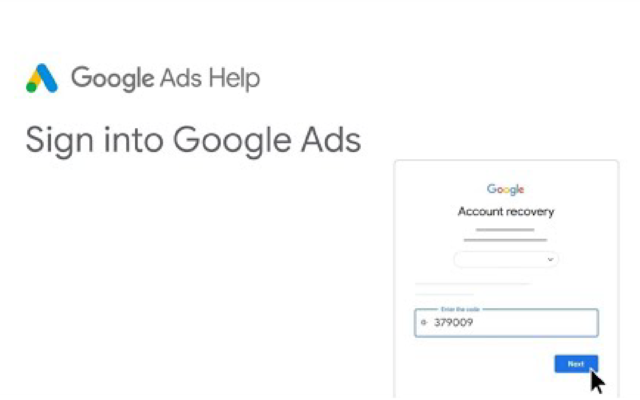
If you forget your password or email, go to Google’s Account Recovery page. Follow the instructions to reset your credentials securely.
Account Disabled or Suspended
Your account may be deactivated due to policy violations or billing issues. You’ll typically see a message during login with instructions. If not, visit the Google Ads Help Center for recovery options.
Two-Step Verification Problems
Lost your phone or authentication method? Use backup options set in your Google Account. If all fails, click “Try another way” during login for alternative recovery paths.
Google Ads Account Security Tips
Use a Strong, Unique Password
Avoid reusing passwords across multiple services. Use a complex password that includes uppercase, lowercase, numbers, and special characters.
Enable Two-Step Verification
Adding a second layer of protection drastically reduces the chance of unauthorized access.
Review Login Activity Regularly
Check your login activity under Google Account Security to ensure there are no suspicious logins.
Optimizing Your Google Ads Experience After Logging In
Once you sign into AdWords, take time to customize your workspace for better productivity.
Personalize the Dashboard
Use saved columns, filters, and custom views to quickly access the metrics that matter to you.
Set Up Notifications
Enable email or SMS alerts for important activities, like billing issues or campaign disapprovals.
Leverage Learning Resources and Tools
Explore Google’s Skillshop, keyword planner, and audience insights for continued learning and smarter campaigns.
Frequently Asked Questions (FAQ)
How can I recover my Google Ads password?
Go to Google’s recovery page, enter your email, and follow the steps to reset your password.
Why can’t I sign into my Google Ads account?
Check if:
- You’re using the correct email and password
- The account has been suspended
- There are two-step verification problems
Refer to the troubleshooting section above or contact support.
How do I contact Google Ads support for login issues?
Visit the Google Ads Help Center, choose your issue, and reach support via email, phone, or live chat (depending on your region).
Is it recommended to use a password manager?
Yes. A password manager ensures you use strong, unique passwords for each platform — a best practice for security, especially with advertising accounts handling financial transactions.
Conclusion
Learning how to sign into AdWords is the foundational step to managing your campaigns efficiently. With the step-by-step instructions, troubleshooting tips, and security guidelines shared above, you’re now better equipped to handle your Google Ads account access confidently.
If you’re looking for a reliable source of high-quality, verified Google Ads accounts — whether for scaling ad campaigns, reducing risks of bans, or accessing invoice-based billing — our agency can help. We provide accounts with flexible spending limits, diverse billing options, and expert support tailored to advertisers worldwide.
Let us know your requirements, and we’ll match you with the perfect ad account to launch or scale your campaigns today.




