
Managing business finances effectively starts with knowing how to access essential documents like your Google Workspace invoice. Whether for accounting, tax reporting, or record-keeping, having accurate invoices is crucial. This guide provides a step-by-step explanation to help you retrieve, review, and resolve issues related to Google Workspace invoices—especially valuable for admins and decision-makers in growing organizations.
If you’re running Google Ads campaigns or managing cloud services, chances are you’re already familiar with the backend tools Google offers. As a team specializing in providing Google Ads invoice accounts, we know how critical it is to stay organized and audit-ready. Here’s how to take full control of your Google Workspace invoices.
What Is a Google Workspace Invoice and Why Does It Matter?
Google Workspace is a cloud-based productivity suite that includes Gmail, Google Drive, Docs, Meet, and more. Businesses of all sizes use it for communication and collaboration.
But aside from its features, proper invoice management within Google Workspace is key. Your monthly Google Workspace invoice serves several important purposes:
- Accounting: Tracking expenses and budgeting
- Tax declaration: Filing corporate tax returns with accurate data
- Documentation: Keeping historical records for audits and reviews
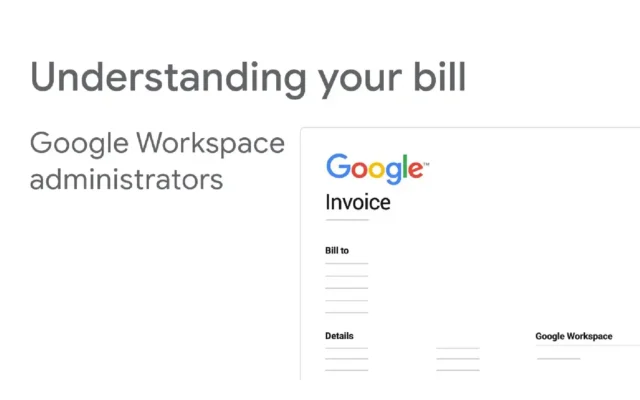
Who Can Access Google Workspace Invoices?
Not all users have permission to access Google Workspace invoices. Only users with admin privileges in the Google Admin Console can:
- View detailed billing statements
- Download PDF invoices
- Access payment history and VAT details
If you’re not the admin, you’ll need to request access or get the invoices from the designated administrator of your domain.
How to Access Your Google Workspace Invoice from the Admin Console
Here’s how to download your Google Workspace invoice step by step:
1 Go to the Billing Page
- Sign in to admin.google.com
- Navigate to Billing > Subscriptions
- Click on your active Google Workspace subscription
2 Select the Invoice Period
- Choose the month or year you need from the drop-down menu
- Invoices are typically generated monthly, after your payment is processed
3 Download the Invoice
- Click Download PDF next to the invoice period
- Save it securely to your local system or cloud storage
4 Review Invoice Details
- Check VAT, payment amount, and service descriptions
- Make sure everything aligns with your internal finance records
Understanding the Key Sections in a Google Workspace Invoice
A typical Google Workspace invoice includes:
- Billing information: Your company’s name, billing address, and contact details
- Service summary: Subscription type, user count, and service tier
- VAT/Tax: Clearly labeled for jurisdictions where applicable
- Payment method: Credit card, bank transfer, or other methods used
This transparency helps businesses reconcile payments and ensures tax compliance.
What to Do If You Can’t Find Your Google Workspace Invoice
Sometimes, you might run into issues retrieving your Google Workspace invoice. Common problems include:
- Missing admin access: Make sure you’re signed in with an admin account
- Billing delays: Invoice may not be generated immediately after payment
- Incorrect billing settings: Outdated or missing billing profiles
Solutions:
- Double-check your admin permissions
- Review billing profile under Payments Settings
- Contact Google Support for unresolved issues
Important Notes When Handling Google Workspace Invoices
Invoice Retention
Keep copies of all your Google Workspace invoices for at least 3–5 years, depending on your country’s tax regulations.
Receipts vs. Invoices
Receipts confirm payment, but only invoices show detailed breakdowns required for audits or tax purposes.
Tax Compliance
To use your Google Workspace invoice for tax deductions or input VAT claims, ensure your company name and VAT ID are correctly entered before the billing cycle begins.
Frequently Asked Questions (FAQ)
Can I view invoices without being an admin?
→ No. Only accounts with admin privileges can access invoices.
Will Google Workspace send invoices to my email?
→ No. Invoices must be manually downloaded from the Admin Console.
Can I update my company info on the invoice?
→ Yes, but only if you update billing settings before the next invoice is generated.
Are Google Workspace invoices valid for tax reporting?
→ Yes, provided all required VAT information is correctly included before payment.
Final Thoughts
Accessing and managing your Google Workspace invoice is an essential part of running a professional, compliant business. With just a few clicks, you can download detailed invoices that support your finance team, aid in tax reporting, and maintain internal transparency.
If you’re also managing Google Ads campaigns, understanding both your Workspace and Ads invoices can help streamline your ad spend analysis. At LLD Agency, we specialize in providing Google Ads invoice accounts to businesses and agencies worldwide—giving you the flexibility to scale campaigns with full control over your spending and documentation.
Interested in learning more about our solutions? Feel free to contact us today.




