
In the ever-competitive digital space, Google account advertising has become a fundamental tool for businesses to grow visibility, attract new customers, and drive conversions. Whether you’re an eCommerce business, a SaaS brand, or an agency scaling ad campaigns for clients, a well-structured Google Ads account is key to unlocking success.
This guide walks you through everything from creating your Google Ads account to optimizing campaigns and selecting the right partner if you need professional assistance. If you’re new or looking to scale faster, this article is your complete roadmap.
Introduction to Google Advertising
What is Google Advertising?
Google account advertising refers to using Google Ads, a pay-per-click (PPC) platform that enables businesses to display ads across Google’s search engine results pages (SERPs), YouTube, and its vast Display Network. With billions of searches processed every day, Google Ads is one of the most powerful tools to connect with audiences actively looking for your product or service.
Benefits of Using Google Advertising for Your Business
Investing in Google account advertising offers measurable and scalable results. Some key benefits include:
- Targeted Reach: Reach specific audiences by keywords, location, demographics, and behavior.
- Cost Control: Set daily budgets, bid caps, and monitor real-time performance.
- Measurable ROI: Use advanced tracking tools to analyze cost-per-click (CPC), conversions, and return on ad spend (ROAS).
- Brand Visibility: Position your brand at the top of search results and increase credibility.
How to Create a Google Ads Account
Preparation Before Creating Your Account
Before you dive into Google account advertising, make sure you have:
- A Google email account
- A clearly defined marketing goal
- Your website or landing page ready
- An understanding of your target audience
- Your initial budget and bid strategy outlined
Steps to Register a Google Ads Account
Here’s a step-by-step breakdown to get started:
- Go to ads.google.com.
- Click on Start Now and sign in with your Google account.
- Choose your main advertising goal (e.g., website visits, phone calls).
- Set your campaign type: Search, Display, Shopping, or Video.
- Configure your location targeting, language, and daily budget.
- Enter your bidding strategy (manual CPC or automated bidding).
- Write your ad copy, insert your keywords, and set your landing page URL.
- Add your billing information and submit.
Once this is complete, your Google account advertising setup is ready to go live.
Basic Configuration for a New Account
To ensure your account performs well from day one:
- Set up conversion tracking
- Link Google Ads with Google Analytics
- Enable ad extensions (e.g., sitelinks, callouts, call extensions)
- Use negative keywords to avoid irrelevant clicks
Managing and Optimizing Google Ad Campaigns
Setting Up Effective Ad Campaigns
Every successful Google account advertising strategy starts with a well-structured campaign. Organize campaigns by product, service, or objective. Use ad groups to separate keyword themes and maintain relevance between search queries and ad copy.
Keyword Selection and Targeting
Keyword research is the backbone of Google Ads. Use tools like Google Keyword Planner or SEMrush to:
- Find high-volume, low-competition keywords
- Include long-tail keywords for higher intent
- Implement negative keywords to filter poor traffic
Targeting can also include:
- Custom audiences
- Remarketing lists
- Geographic targeting for local or international reach
Tracking and Performance Analysis
Regular monitoring is vital in Google account advertising. Focus on metrics like:
- Click-Through Rate (CTR)
- Conversion Rate (CVR)
- Quality Score
- Impression Share
- Cost Per Conversion
Use A/B testing for headlines, descriptions, and landing pages to improve results over time.
Strategic Adjustments for Better Results
Optimization isn’t a one-time task. Adjust your campaigns weekly or bi-weekly by:
- Pausing underperforming ads
- Reallocating budget to high-performing campaigns
- Updating ad copy to reflect current offers
- Testing new keyword variations
Google Ads Support Services
When Should You Use a Professional Advertising Service?
Managing Google account advertising on your own can be complex, especially at scale. Consider working with a professional agency if:
- You lack in-house expertise
- You’re managing large ad spends
- Your campaigns are underperforming despite your efforts
- You want to break into new markets faster
How to Choose a Reliable Advertising Partner
A trusted Google Ads partner should offer:
- Transparent pricing and communication
- Proven results with case studies or client testimonials
- Google Partner certification
- Custom strategies tailored to your business goals
Cost vs. Benefits of Outsourcing Google Ads
While hiring an expert or agency involves a cost, the ROI can often outweigh it by:
- Saving time and internal resources
- Improving campaign performance
- Reducing wasted ad spend
- Providing access to tools and insights not available in-house
FAQs About Google Advertising
How Can I Reduce My Google Advertising Costs?
- Use smart bidding strategies like Target CPA
- Improve Quality Score through relevant ads and landing pages
- Focus on high-intent keywords
- Regularly audit and pause non-performing ads
How Long Until I See Results From Google Ads?
Typically, initial results can be seen within the first 2 weeks. However, optimization and consistency over 1–3 months usually lead to substantial improvements in ROI.
Do I Need a Website to Run Google Ads?
While a website is strongly recommended for credibility and conversion tracking, Google Business Profile can be used for local ads without a website.
How Do I Measure the Effectiveness of My Ads?
Set up conversion tracking in Google Ads or integrate with Google Analytics. Monitor KPIs like:
- Conversion Rate
- ROAS (Return on Ad Spend)
- Click-through and bounce rates
About Our Agency
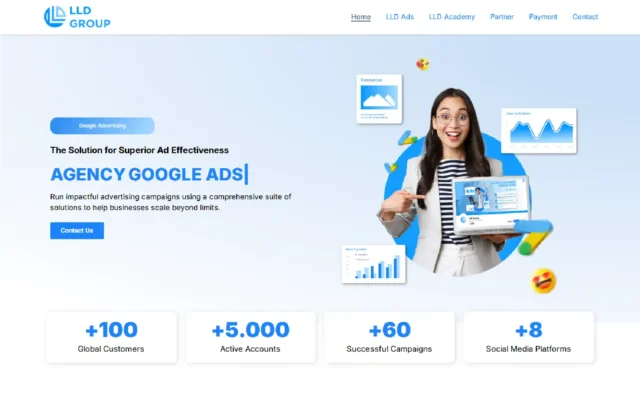
At LLD Agency, we specialize in providing verified, scalable Google Ads accounts tailored to your business needs. Whether you’re a freelancer, agency, or eCommerce entrepreneur, our accounts come with flexible spending limits, multi-region support, and full guidance for setup and management. With years of experience and a dedicated support team, we ensure your Google account advertising journey is smooth, compliant, and results-driven.
Conclusion
Getting started with Google account advertising can seem overwhelming at first, but with the right setup, clear strategy, and ongoing optimization, it becomes one of the most cost-effective digital marketing tools available. Whether you’re managing campaigns solo or looking to partner with experts like LLD Agency, the key is consistency, data analysis, and adaptability.
Ready to take your advertising to the next level? Optimize your Google Ads account today—and let your business be seen where it matters most.




