
In today’s digital landscape, having a well-structured Google Ads account is no longer optional—it’s essential. Whether you’re an e-commerce entrepreneur, a local service provider, or part of a fast-growing startup, understanding how to manage your Google account ads effectively can directly influence your marketing ROI and overall business success.
With billions of searches performed daily, Google Ads provides unparalleled access to potential customers. However, success with this platform goes beyond just creating ads—it starts with building and optimizing your Google Ads account the right way.
In this guide, you’ll learn how to set up your account properly, manage campaigns strategically, and optimize for the highest performance. If you’re looking to start fresh or scale your paid media efforts, this article is your practical roadmap.
Why Google Account Ads Are Critical to Online Marketing
Google Ads is one of the most powerful advertising platforms available today. With proper usage, it can bring in consistent traffic, qualified leads, and measurable returns on investment. Here are the top benefits of leveraging google account ads for your business:
- Instant visibility on Google Search and other Google properties
- Highly targeted advertising based on keywords, demographics, location, and more
- Performance-based model — only pay when users interact
- Advanced tracking and analytics tools for in-depth insights
Whether you’re new to online advertising or a seasoned marketer, mastering your Google Ads account setup and optimization is crucial.
How to Create a Google Ads Account
1. What You Need Before Creating an Account
Before you dive into the setup process, make sure you have the following ready:
- A Google account (Gmail) for login
- A business website or landing page
- Clear advertising objectives (sales, leads, traffic, etc.)
- A valid payment method for billing setup
- Knowledge of your target audience and keywords
These elements are essential to ensure a smooth registration process and a successful launch.
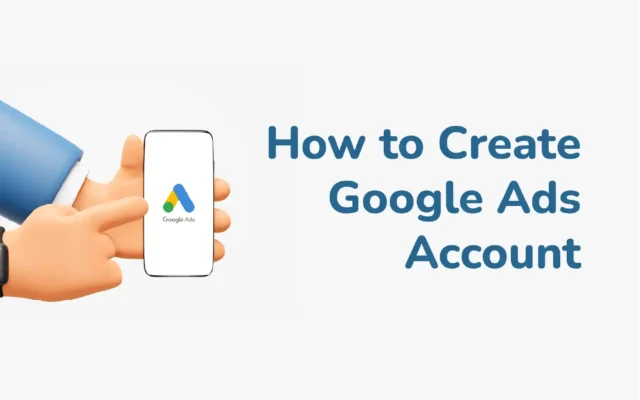
2. Step-by-Step Guide to Creating Your Google Ads Account
- Visit ads.google.com and click “Start now”
- Log in with your Google account.
- Choose your advertising goal (e.g., “Get more website sales or sign-ups”).
- Enter your business name and website.
- Set up your campaign: define your location, audience, and keywords.
- Write your first ad, then set your budget and billing preferences.
Pro Tip: Avoid “Smart Mode” for more control. Switch to “Expert Mode” for access to all features and campaign types.
Managing and Optimizing Your Google Ads Account
1. Campaign Structure and Keyword Strategy
A well-organized account structure improves performance and makes optimization easier.
- Campaigns group your advertising objectives (e.g., Search, Display, Shopping).
- Ad groups contain related keywords and ads.
- Each ad group should focus on one theme or product.
Choosing the right keywords is foundational. Use tools like Google’s Keyword Planner to find high-volume, low-competition keywords. Group keywords into tightly themed ad groups for maximum Quality Score impact.
2. Writing Effective Ads and Using Extensions
Your ad copy is what your audience sees first. Make it compelling, clear, and relevant:
- Highlight unique selling points (free shipping, discounts, etc.)
- Use strong calls to action (“Buy now,” “Get started today”)
- Match ad text closely to the searcher’s intent
In addition, utilize ad extensions such as:
- Sitelink extensions
- Callout extensions
- Structured snippets
- Call extensions
These increase ad visibility and click-through rate without extra cost.
3. Budgeting and Bidding Strategies
Google Ads allows full control over your daily budget and bidding strategy. Start small and scale gradually.
- Daily budget: Set how much you’re willing to spend per day
- Bidding: Choose between Manual CPC, Maximize Clicks, Target CPA, etc.
Track performance closely, especially in the first few weeks. Adjust bids and pause underperforming ads or keywords accordingly.
Measuring Success and Adjusting Your Strategy
1. Use Google Analytics and Conversion Tracking
Integrate Google Analytics and Google Ads Conversion Tracking to gain deeper insights.
Track key metrics such as:
- Click-through rates (CTR)
- Conversion rates
- Cost per conversion
- Bounce rates and session duration
These metrics help you understand what’s working—and what’s not.
2. Optimize Based on Real Data
Review your search terms regularly to find negative keywords and expand high-performing ones.
Other optimization tips:
- A/B test ad variations frequently
- Update underperforming headlines or descriptions
- Reallocate budget to top-performing campaigns or ad groups
- Adjust device, time, or location settings based on performance
Optimization should be an ongoing process. Keep iterating based on the data to ensure long-term success.
When to Use a Professional Google Ads Management Service
1. When Is It Time to Outsource?
Managing your Google account ads can become time-consuming and complex as you scale. You may need a professional Google Ads management service if:
- You’re unsure how to improve campaign performance
- Your account is underperforming despite high spending
- You don’t have time to optimize campaigns regularly
- You want expert help to scale faster and smarter
2. Benefits of Hiring an Agency
Partnering with a specialized Google Ads agency offers many advantages:
- Expert-level campaign setup and targeting
- Advanced optimization techniques for better ROI
- Continuous performance monitoring and real-time adjustments
- Time savings so you can focus on growing your business
Looking for a reliable agency to manage or provide verified Google Ads accounts?
At LLD Agency, we specialize in providing high-quality, pre-verified Google Ads accounts with strong spend capabilities, flexible payment options, and worldwide access. Whether you’re launching your first campaign or scaling aggressively, our team is ready to support you with expert resources and responsive service.
Conclusion
Creating and optimizing your Google Ads account isn’t just about setting up a few campaigns and letting them run. It requires a strategic approach, continual optimization, and informed decision-making. From proper account structure and smart bidding strategies to performance tracking and professional management support, every step plays a critical role in your campaign success.
If you’re serious about maximizing results with google account ads, consider partnering with a trusted agency like LLD Agency. Whether you need managed services or verified Google Ads accounts to launch immediately, we’re here to help you grow—efficiently and effectively.




