
In the world of digital marketing, one of the fastest and most measurable ways to grow your business is through pay-per-click advertising. A well-optimized Google PPC account allows you to reach potential customers at the exact moment they’re searching for your products or services. In this guide, we’ll walk you through everything you need to know—from creating your account to advanced optimization tips.
And if you’re looking for a reliable solution to start fast, our agency specializes in providing verified and high-quality Google Ads accounts that are ready to run your campaigns instantly.
What Is a Google PPC Account and Why Does It Matter?
Google PPC (Pay-Per-Click) refers to a model of internet marketing where advertisers pay a fee each time their ad is clicked. It’s essentially buying visits to your site, rather than attempting to “earn” them organically.
A Google PPC account is your gateway to accessing and running ads on Google’s vast advertising network, including Google Search, Display Network, YouTube, and more.
Why your business should use Google PPC:
- Immediate visibility on search engines
- High-intent traffic ready to convert
- Full control over ad spend and targeting
- Measurable ROI and campaign performance
Whether you’re a small business or an international brand, a properly set up Google PPC account can accelerate your marketing efforts significantly.
Step-by-Step: How to Create a Google PPC Account
Creating a Google PPC account is straightforward, but requires careful configuration to ensure future success.
Step 1: Visit the Google Ads Platform
Go to https://ads.google.com and sign in using your Google account. Choose to start a new campaign or set up the account without a campaign.
Step 2: Business and Billing Setup
- Enter your business name and website
- Choose your billing country, time zone, and currency
- Set up your payment method (manual or automatic)
Step 3: Launch Your First Campaign
You can start with a Smart campaign or create a customized campaign for more control. Choose your campaign goal (sales, leads, traffic), targeting location, keywords, and ad copy.
Common issues during setup:
- Disapproved ads due to restricted content
- Incorrect billing settings
- Choosing wrong campaign type for objectives
Make sure your Google PPC account is set up properly to avoid delays or policy violations.
Key Elements for an Effective Google PPC Account
To get results and avoid wasting budget, your Google PPC account needs to be structured and optimized with several key elements:
1. Conversion Tracking Setup
Use Google Tag Manager or manually place conversion tags to track actions like purchases, form submissions, or calls. This helps measure real ROI.
2. Improve Your Quality Score
Quality Score affects your ad rankings and cost-per-click (CPC). Focus on:
- Relevant ad copy
- Keyword targeting
- High-quality landing pages
3. Smart Keyword Research
Group keywords into tightly themed ad groups. Use a mix of match types (broad, phrase, exact) and negative keywords to filter irrelevant traffic.
4. Smart Budget & Bidding Strategy
Set a daily budget based on your goals. Consider automated bidding strategies like:
- Maximize conversions
- Target CPA
- Enhanced CPC
These elements ensure your Google PPC account is not just active—but profitable.
Expert Tips to Optimize PPC Performance & Save Costs
Even a well-set-up Google PPC account needs ongoing optimization. Here are pro-level tips to squeeze more value out of your ad spend:
Monitor & Analyze Performance Regularly
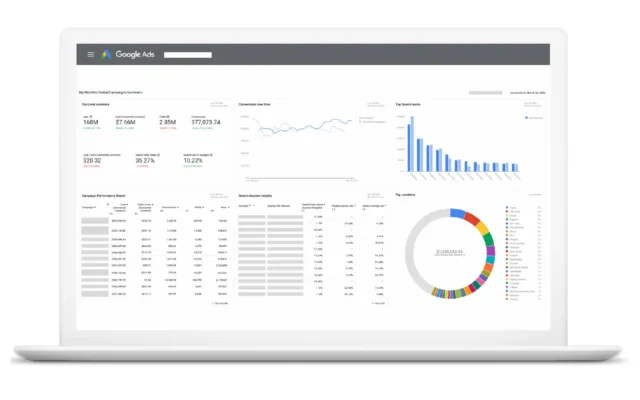
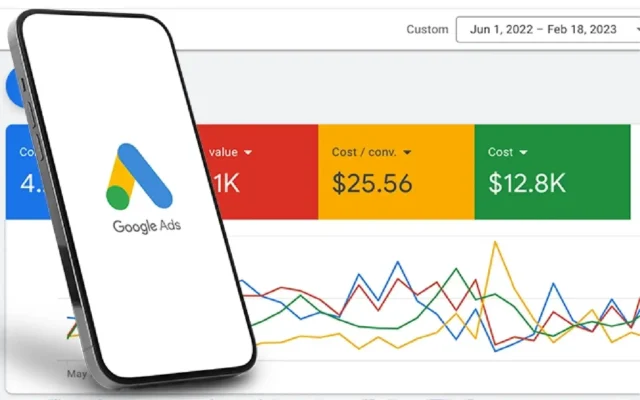
Use Google Ads reports to track key metrics: CTR, CPC, conversion rate, and cost per acquisition (CPA). Pause underperforming ads or adjust bids accordingly.
Create High-Converting Ads
- Include a strong Call-To-Action (CTA)
- Match ad copy with landing page content
- A/B test variations to find winners
Leverage Ad Extensions
Extensions improve visibility and click-through rate. Use:
- Sitelinks
- Call extensions
- Structured snippets
- Location extensions
Implement Remarketing
Set up custom audiences for people who have visited your site but didn’t convert. Remarketing helps bring them back with targeted messaging.
These strategies help your Google PPC account perform more efficiently while keeping costs under control.
When to Hire a Professional Google PPC Manager
Not every business owner has the time or expertise to manage a Google PPC account daily. Here’s how to know if it’s time to bring in a pro:
Signs You Need a Specialist:
- You’re spending money but seeing little return
- You don’t understand how to interpret the data
- You’re unsure how to scale campaigns effectively
Benefits of Hiring an Agency or Freelancer:
- Faster results with proven strategies
- Advanced tools and tracking setup
- Access to beta features and insider knowledge
How to Choose the Right Google Ads Partner:
- Proven track record with your industry
- Transparent pricing and reporting
- Responsiveness and strategic thinking
At our agency, we don’t just create accounts—we empower you with verified, invoice-enabled Google PPC accounts that are optimized and ready for your campaigns. Get expert support and a smooth setup from day one.
Frequently Asked Questions
Q: Can I create and manage my own Google PPC account?
A: Yes, but it’s important to have basic knowledge of ad structures, bidding, and conversion tracking to be effective.
Q: Is it free to create a Google PPC account?
A: Creating the account is free, but you need a budget to run ads. Google may offer promotional credits to new advertisers.
Q: Is Google PPC suitable for small businesses?
A: Absolutely. With the right setup and targeting, even small budgets can drive high ROI.
Q: What’s the difference between Google Ads and a Google PPC account?
A: Google Ads is the platform, while a Google PPC account is the user’s access to that platform for managing campaigns.
Final Thoughts
A Google PPC account is one of the most powerful tools for businesses aiming to grow online. When managed correctly, it can generate consistent traffic, leads, and sales. Whether you’re starting from scratch or looking to scale existing campaigns, understanding how to structure, optimize, and maintain your account is key.
And if you’re looking to hit the ground running, our agency can provide verified, reliable Google PPC accounts with full support, flexible deposits, and customized options for different niches. Let us help you launch campaigns that convert—faster and smarter.
Contact us today to get your ready-to-use Google Ads account and expert guidance tailored to your business goals.




